Free Application to Convert Flash Files into Other Video Formats

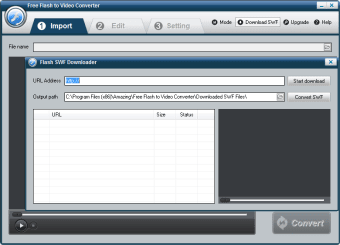
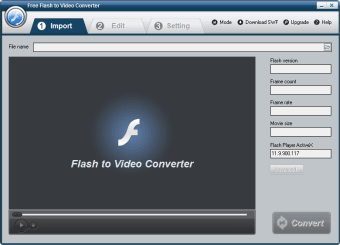
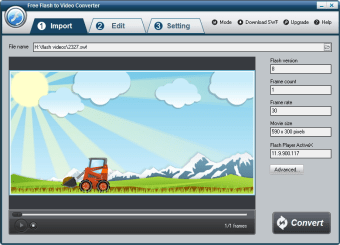
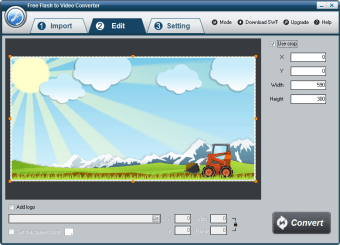
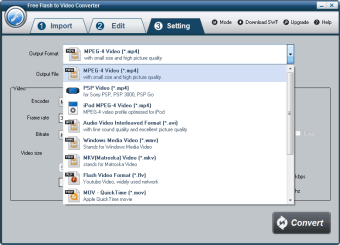
Free Flash to Video Converter enables users to modify existing flash files (SWF) into other formats such as MP4 and MPEG. This is often required when files need to be shared between multiple parties. Numerous codecs are supported and other features including the ability to embed watermarks within a video are provided at no additional charge.


  • Pros

    • The conversion process is simple and straightforward
    • Flash files can be transformed into a GIF format
  • Cons

    • There is no version available for mobile devices
    • Access to more advanced conversion features will require a paid download
 0/6

App specs

Program available in other languages


User reviews about Free Flash to Video Converter

4.6

1 reviews

Add review

Main reviews for you

  • Anonymous user

    Quickly Convert Flash SWF File to both SD and HD video. Fast convert SWF file to MP4,MOV, AVI, FLV, MWV,MPEG, RMVB, 3GP and more other popular video formats. Pros: Official version is 9.9.9 now3 Simple Steps to Convert SWF to VideoSupport Importing Local and Online SWF FilesCompatible with Most Popular Applications and Devices

More

You may also like

Alternatives to Free Flash to Video Converter

Explore Apps

Latest articles

Laws concerning the use of this software vary from country to country. We do not encourage or condone the use of this program if it is in violation of these laws.
Softonic

Is Free Flash to Video Converter safe?

100/100

Score result: Clean

This file passed a comprehensive security scan using VirusTotal technology. It is safe to download.

  • Virus free
  • Spyware free
  • Malware free
  • Verified by Security Partners

    VirusTotal logo

Scan Info

Last scan
Friday, December 8, 2023
Scan provider
VirusTotal · Full report

File Integrity

File
free_flash_to_video_converter.zip
SHA256
a1e4450534735afa3d2b5b6f36ed34445420c7aa80f68e140446055295c29577
SHA1
5d695c71368a97a45ad6631c8307b97e1d8b6582

Softonic security commitment

Free Flash to Video Converter has been thoroughly scanned by our advanced security systems and verified by industry-leading partners. This file comes from the official developer and has passed all our security checks, showing no signs of viruses, malware, or spyware. For more information, visit our Security and Trust Center